Free · No ads · No account
Feeds, sleep and diapers.One tap, even at 3 a.m.
A calm baby tracker for Android. Log breastfeeding, bottles, diapers and sleep with one hand, see your baby’s day take shape, and bring a clear summary to every check-up. No account, no ads, and everything stays on your phone.
- Left / right breastfeeding timer
- Home-screen widget
- Works offline
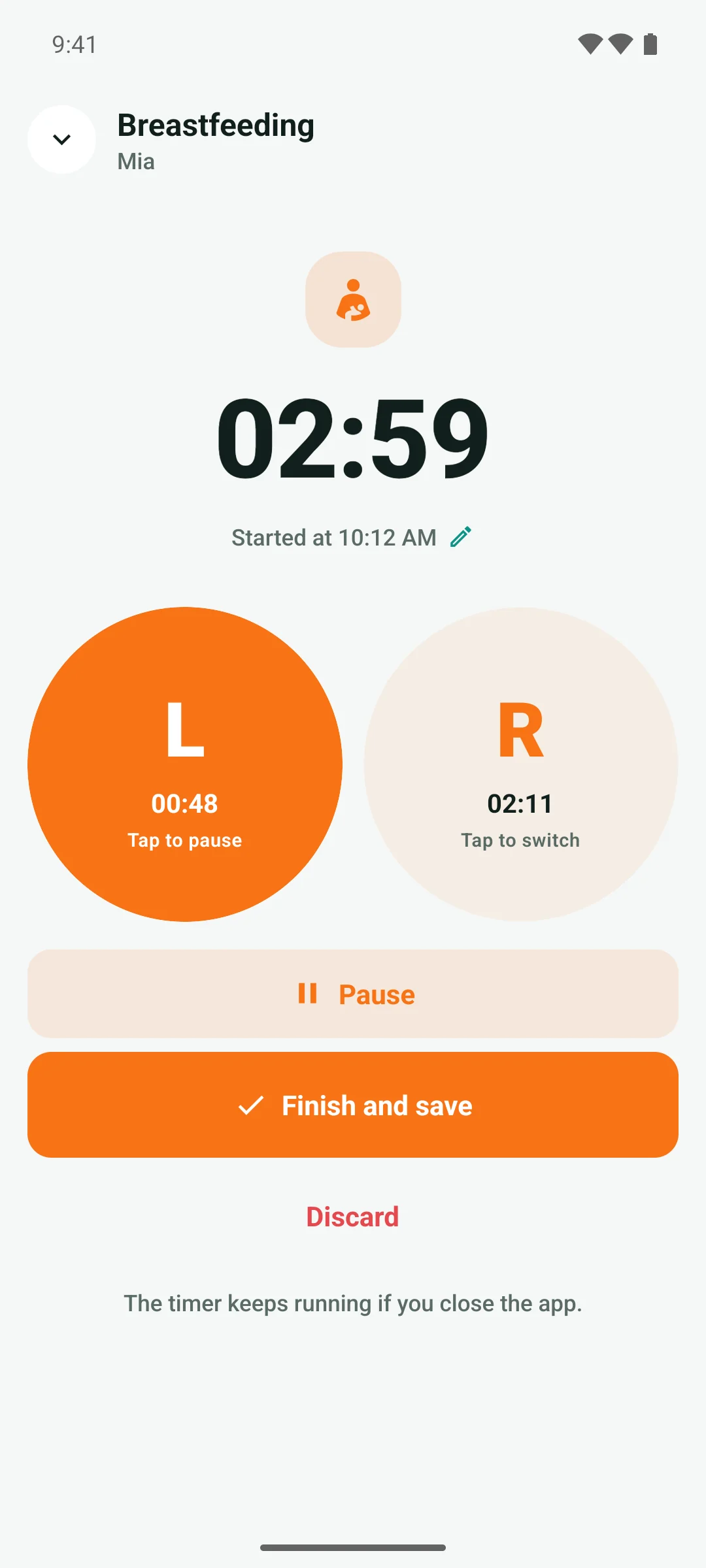
Mia · Breastfeeding · Left
Started at 10:12
Switch to RightPauseStop
- to log a diaper or start sleep
- 1 tap
- breastfeeding timer that remembers the side
- L · R
- growth curves and percentiles
- WHO
- accounts, ads or trackers
- 0
How it works
Less guessing, more sleep
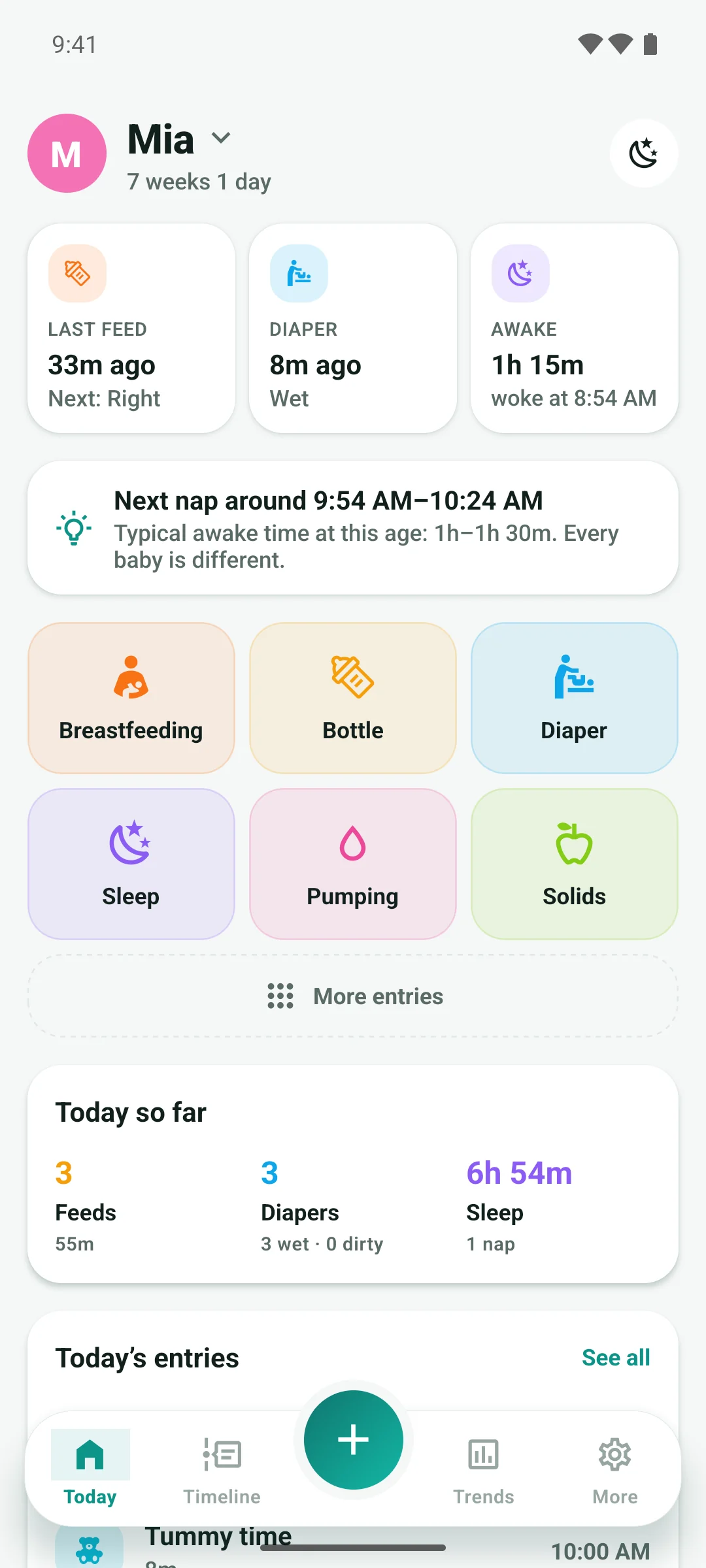
“When did she last eat? Which side was it?” Baby Tracker answers the 3 a.m. questions before you have to ask them.
1Log it in a tap
Big buttons for one hand: breastfeed, bottle, diaper, sleep, pump, solids. Today shows how long since the last feed, which side is next, and how long your baby has been awake.
2Time every feed
Tap Left or Right to start, tap the other side to switch, tap again to pause. The timer keeps running with the app closed, and you can move its start if you began a few minutes ago.
3See the pattern
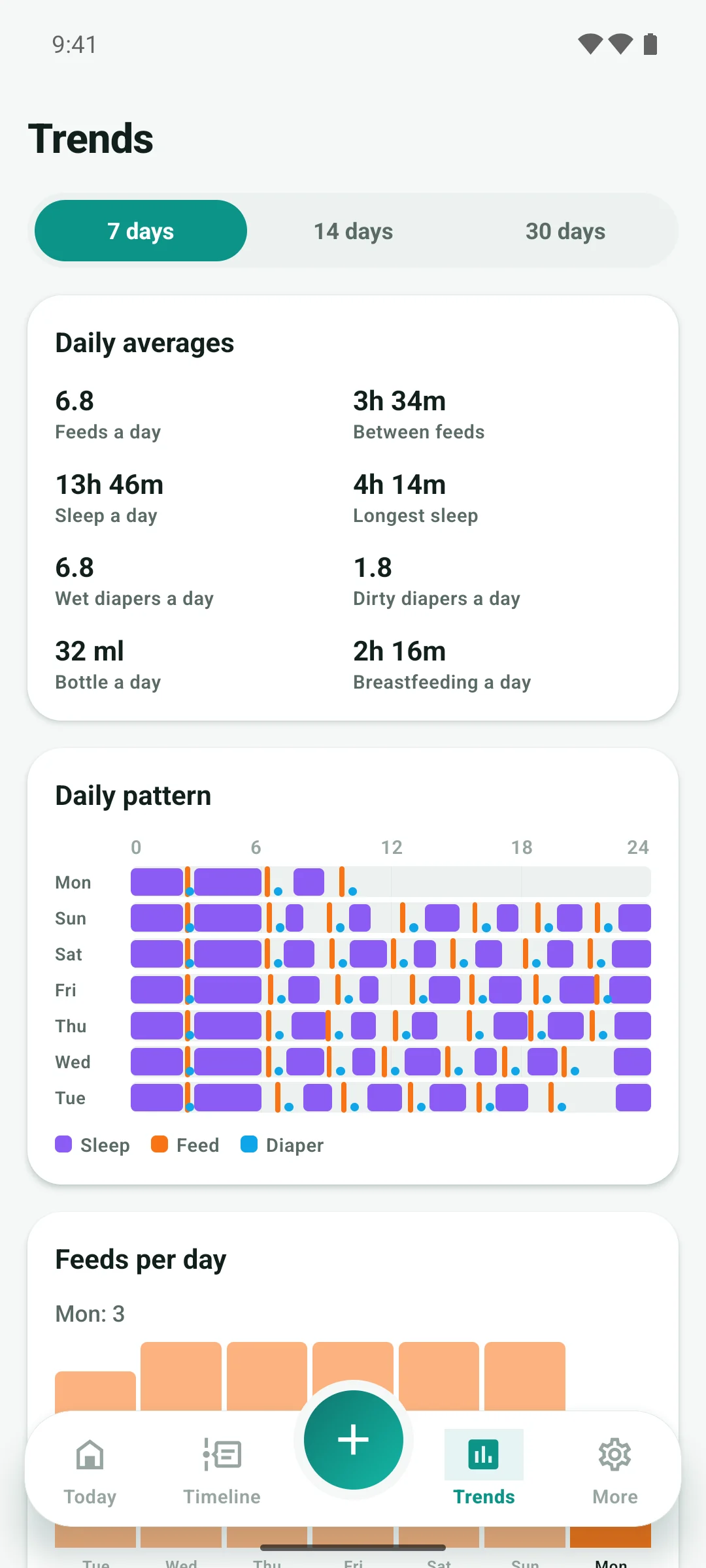
Daily averages, the time between feeds, and a 24-hour chart of sleep, feeds and diapers show your baby’s rhythm forming, day by day.
Made for night feeds
Built for one hand and half-open eyes
The features that matter most at night are Android ones, so Baby Tracker puts them where your thumb already is.
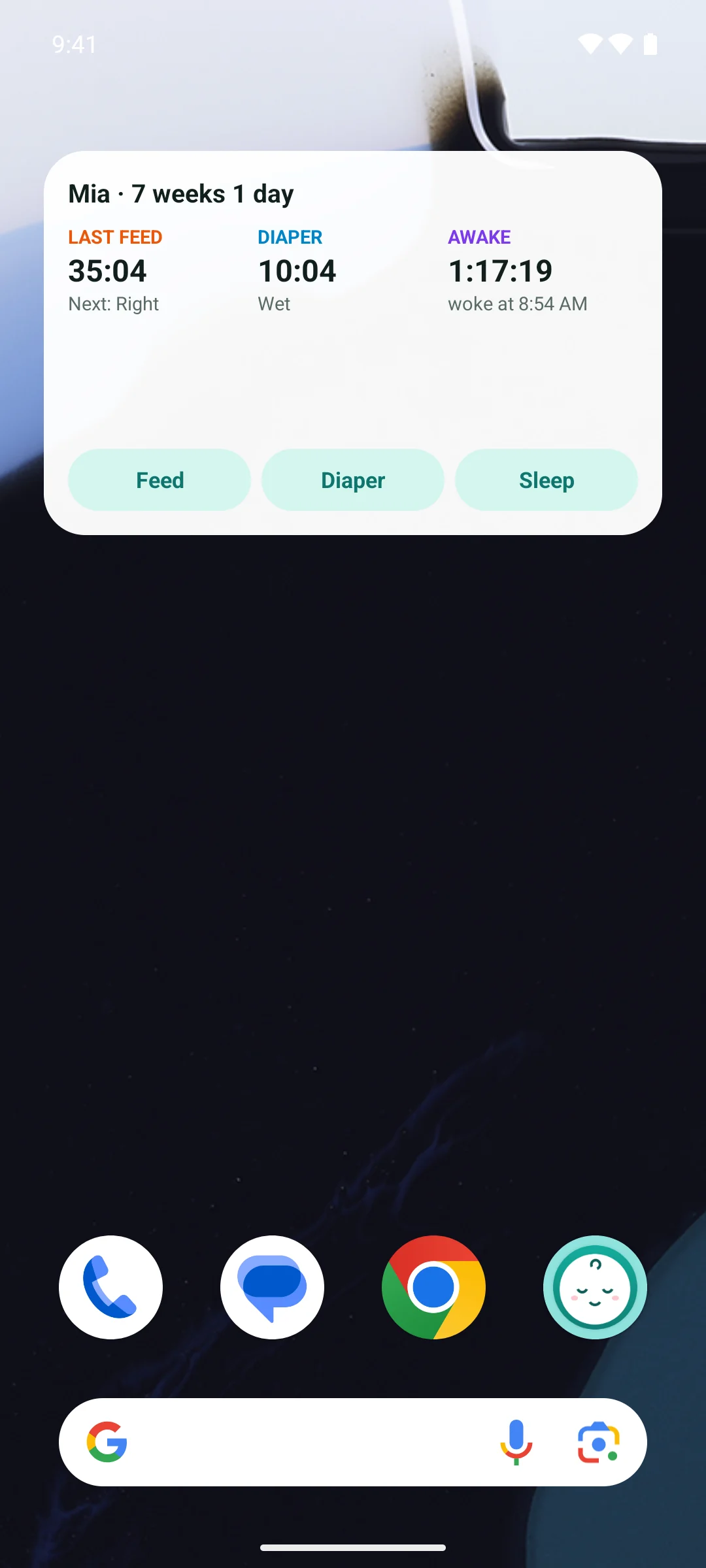
Home-screen widget
See the time since the last feed, diaper and sleep at a glance, and log them straight from your home screen.
Timer in the notification bar
Switch sides, pause or stop a running timer from the notification, without opening the app.
Night light theme
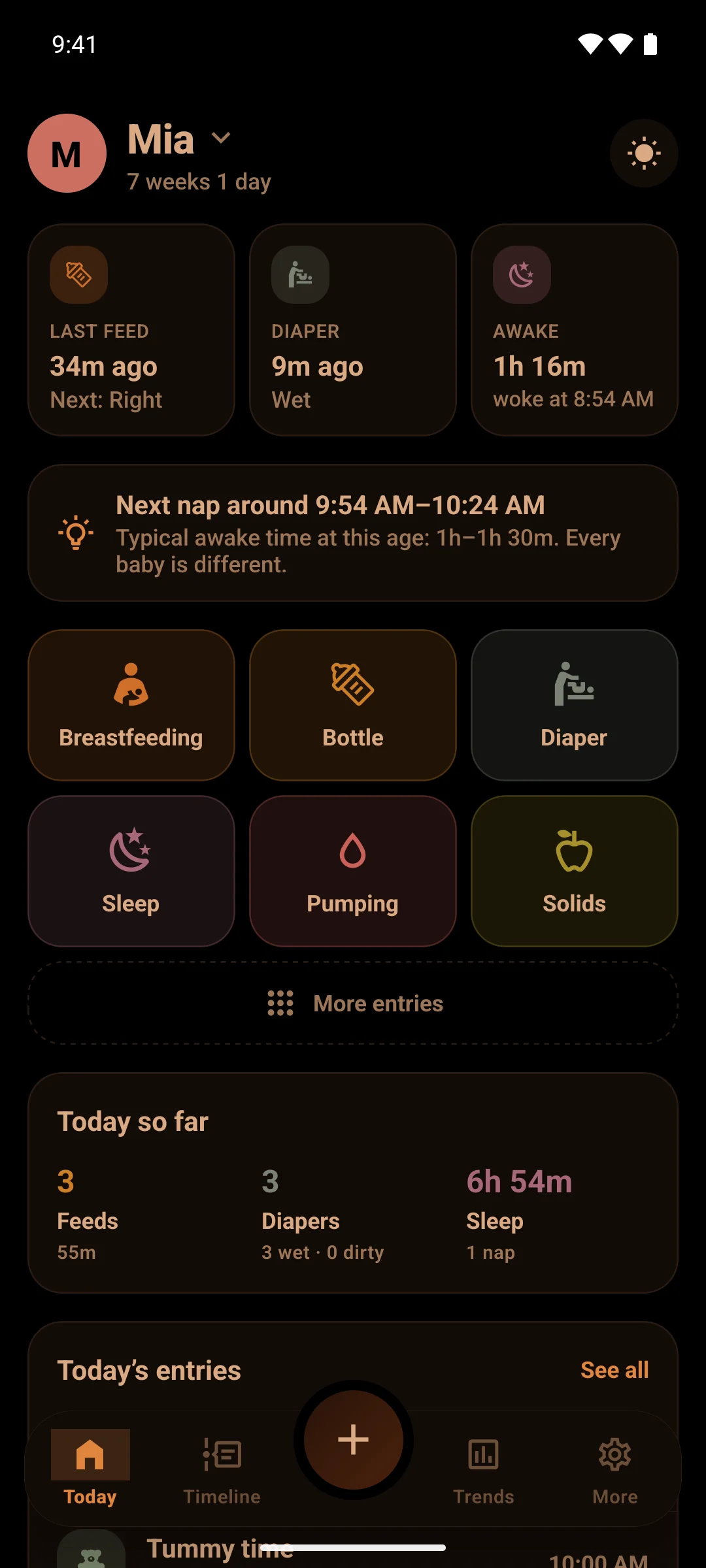
Black, warm and dim, with no white or blue to wake you, or your baby, all the way up.
Undo, not “Are you sure?”
One-tap logging with an Undo button, instead of dialogs to confirm while you’re holding a baby.
Features
Everything for the first two years
From the first feeds in hospital to first steps: one place for your baby’s days.
- Breastfeeding timerLeft and right sides, pause, and the side to start on next.
- Bottles, pumping and solidsml or oz with one-tap amounts; breast milk, formula or both.
- DiapersWet, dirty or both, with stool colour, texture and rash.
- Sleep and napsStart and stop in one tap; night and day sleep shown apart.
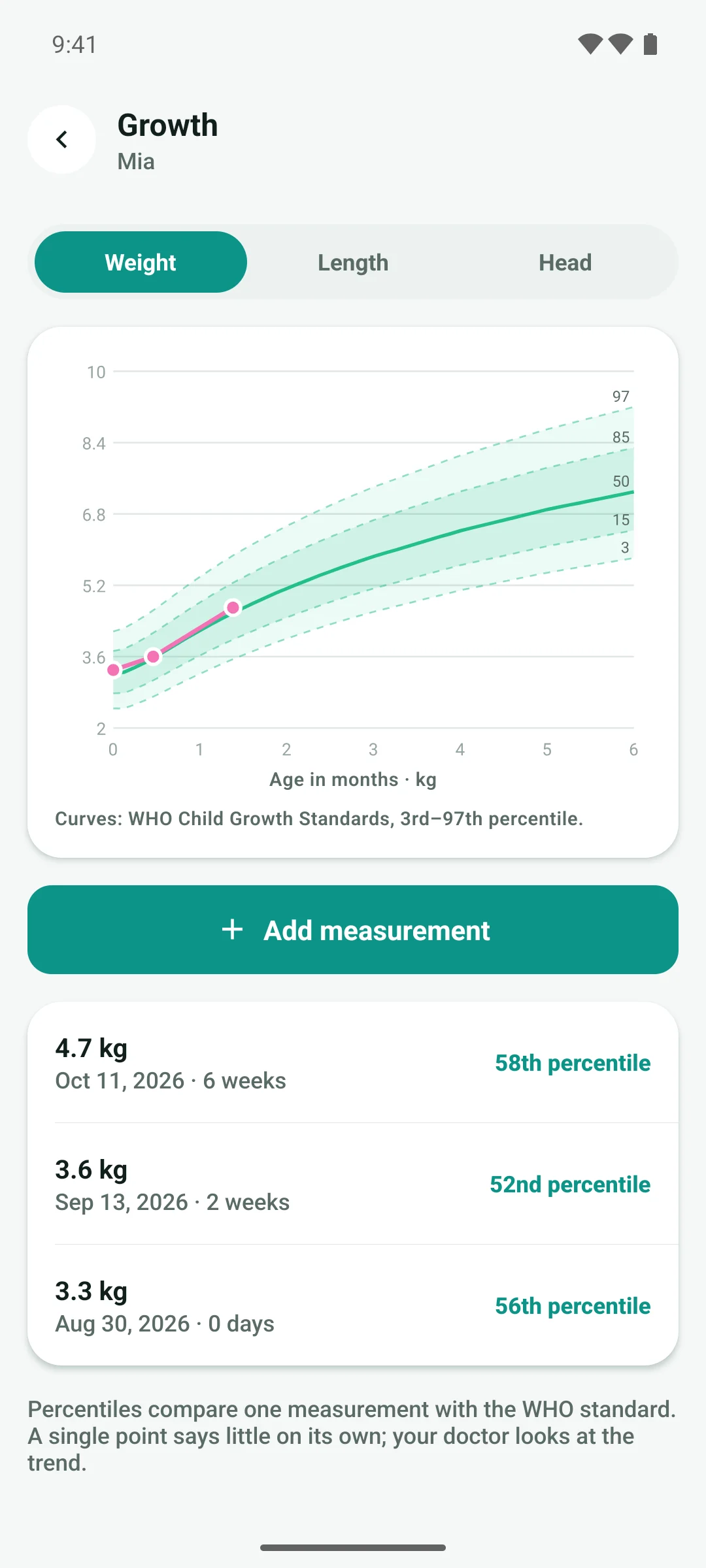
- Growth with WHO percentilesWeight, length and head on the WHO curves from birth to 2 years.
- Doctor reportA 3, 7 or 14-day summary to share at check-ups, plus CSV export.
- Health notesTemperature, medicine doses and doctor visits in one timeline.
- MilestonesFirst smile, first tooth, first steps, and your own moments.
- Twins and siblingsAdd every baby and switch with a tap on the name.
- TrendsFeeds, bottle volume, sleep and diapers per day over 7–30 days.
- English and Tiếng ViệtPlus ml or oz, kg or lb, cm or in, and °C or °F.
- Backup and restoreSave a backup file wherever you like and restore it on a new phone.
Baby Tracker is not a medical device and does not diagnose, treat, cure or prevent any condition. Always ask your doctor or nurse about your baby’s health.
Privacy
Your baby’s data stays with you
Feeds, diapers, temperatures and growth are personal. Baby Tracker keeps every entry on your phone and never sends it anywhere. We couldn’t see it if we wanted to.
Read the privacy policyNo account
No sign-up, no email, no password. Add your baby’s name and start.
Stays on your phone
Every entry is saved on your device. Baby Tracker has no server and sends your data nowhere.
No ads, no tracking
The app contains no advertising or analytics SDKs, so nothing follows you around.
Works offline
At 3 a.m. with no signal, or on a plane: everything works without internet.
FAQ
Questions, answered
Is Baby Tracker free?
Yes. Logging, timers, the widget, trends, growth charts and the doctor report are all free, with no ads. If we add paid extras later, they will be new features. Nothing that’s free today will move behind a paywall.
Can my partner or a grandparent log too?
Not on their own phone yet. Today everything lives on one phone, so it’s easiest when you share it during handovers. You can share the doctor report as a message, and move everything to another phone with a backup file. Syncing between caregivers is the next big feature we’re working on.
Does the breastfeeding timer keep running if I close the app?
Yes. Timers are saved the moment you start them, so they keep counting if you switch apps, lock your phone or the app is closed. While one runs, you can switch sides, pause or stop it from the notification.
What do the growth percentiles mean?
They compare a measurement with the WHO Child Growth Standards for babies of the same age and sex. The 50th percentile is the middle: half of babies are above it and half below. One point says little on its own; your doctor looks at how the curve develops over time.
Is it medical advice?
No. Baby Tracker is not a medical device and does not diagnose, treat, cure or prevent any condition. Hints such as typical awake times or the fever note are general information. Always ask your doctor, nurse or midwife about your baby’s health.
Does it work for twins?
Yes. Add each baby, then tap the name at the top of Today to switch. Every baby has their own timers, entries, trends and growth chart.
What happens to my data if I change phones?
Use Back up in the app to save a file to Google Drive, email or anywhere you like, then Restore it on the new phone. Android can also include the app’s data in your own Google device backup. The privacy policy has the details.
Which languages does the app speak?
English and Vietnamese (Tiếng Việt). It follows your phone’s language, and you can change it in the app.
Is there an iPhone app?
Not at the moment. Baby Tracker is available for Android.
Fewer notes on the fridge. More time with your baby.
Free on Android. No account, no ads — just add your baby’s name and start.